When you’ve got an Android phone and your friend has an iPhone, transferring files, photos, videos, documents, over the air used to be a hassle. But times are changing.
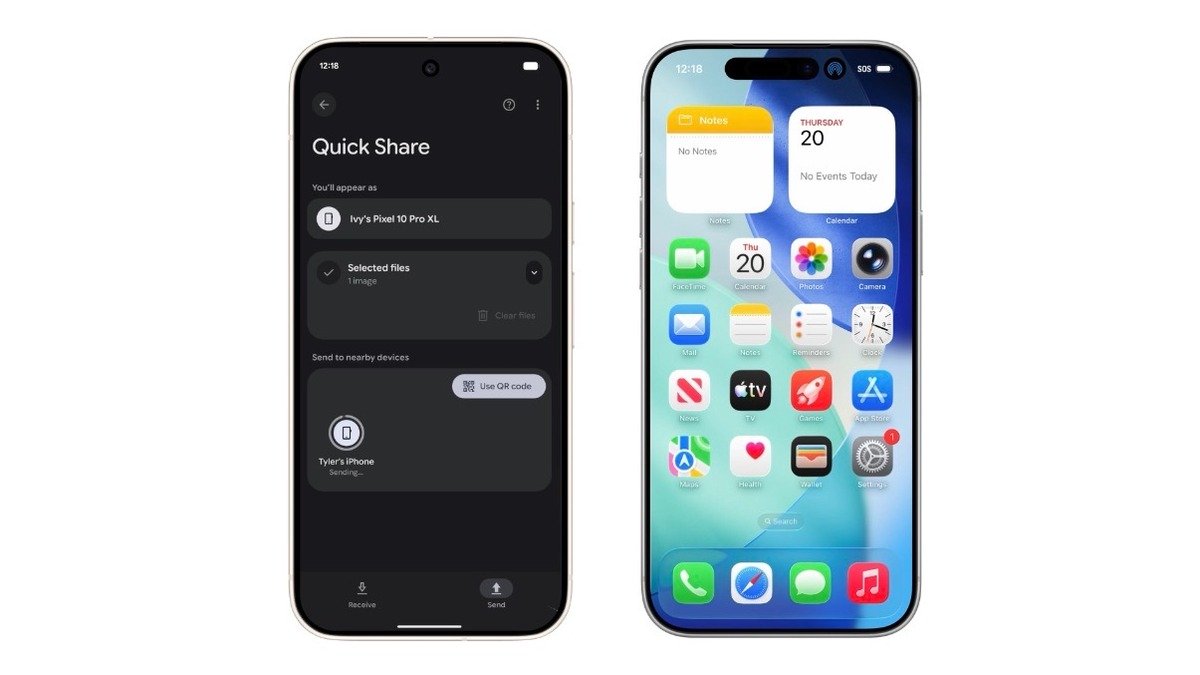
Quick Share (Android’s native file-share system) can now play nicely with AirDrop (Apple’s counterpart).
Let’s break it down: what’s new, how it works, the catch, and why you should care.
What’s new
- Google announced that Quick Share now supports sharing with Apple devices (iPhone, iPad, Mac) by interoperating with AirDrop.
- The rollout begins with the Pixel 10 lineup (Pixel 10, Pixel 10 Pro, etc).
- The connection is peer-to-peer: files don’t route through Google servers or get logged.
- It works in both directions: Android → iPhone and iPhone → Android (Pixel 10 series) when configured.
How it works
Here’s the practical workflow:
- On the Pixel 10 (or supported device), make sure Quick Share is updated/activated.
- On the Apple device, set AirDrop to “Everyone for 10 minutes” (rather than the stricter “Contacts only”).
- From Android: choose the file → Share → Quick Share, see the iPhone or Mac appear in target list → send.
- The connection happens directly, securely, and fast.
- From iPhone/Mac to Android: the Android device must be discoverable similarly.
The catch / what to watch
- First: only the Pixel 10 series is confirmed thus far. Other Android phones will get support later, but not yet.
- Next: the Apple device must allow “Everyone for 10 minutes” visibility. Some may hesitate to enable that for privacy reasons.
- While the transfer is peer to peer, both devices must have Bluetooth+WiFi-direct capabilities and be nearby. Typical of this kind of sharing tech.
- If either device has older hardware, older OS version, or some corporate restrictions (e.g., managed devices), this might not work.
- Apple may require later tighter integration or may require their own update to fully unlock “Contacts only” mode, etc. Google says they’d welcome collaboration with Apple for future refinement.
Why it matters
- For you and me: less friction when you and a friend are using different ecosystems. Snap a photo on Android, pass it to an iPhone in seconds.
- For businesses & creatives: easier to transfer large assets across platforms without relying on email, cloud upload, or apps. If you do digital marketing, design, media etc., this means smoother workflow.
- Ecosystem shift: Historically, Apple and Android played in silos. This signals a step toward more cross-platform cooperation.
- Privacy + speed: by avoiding intermediary servers, your files stay closer to you and the transfer is faster.
Quick tip checklist
- On Android: go to Settings → Connected devices (or Google services) → Quick Share → Enable and set your device to be discoverable (Everyone or Contacts).
- On iPhone / iPad / Mac: Settings → General → AirDrop → Set to Everyone for 10 minutes when sharing.
- When ready: From Android: open file → Share → Quick Share → select target device.
- Accept the share on the receiving device when prompt appears.
- After transfer, you might want to restore AirDrop visibility to a stricter setting (like Contacts only) for security.
Final thoughts
What this really means is: the barrier between Android and iOS when it comes to quick local file sharing just got lower. If you’re using one of the supported devices, you’ll soon find that handing off photos, videos, or documents to someone on the “other” platform is almost as easy as sending to someone on the same platform.