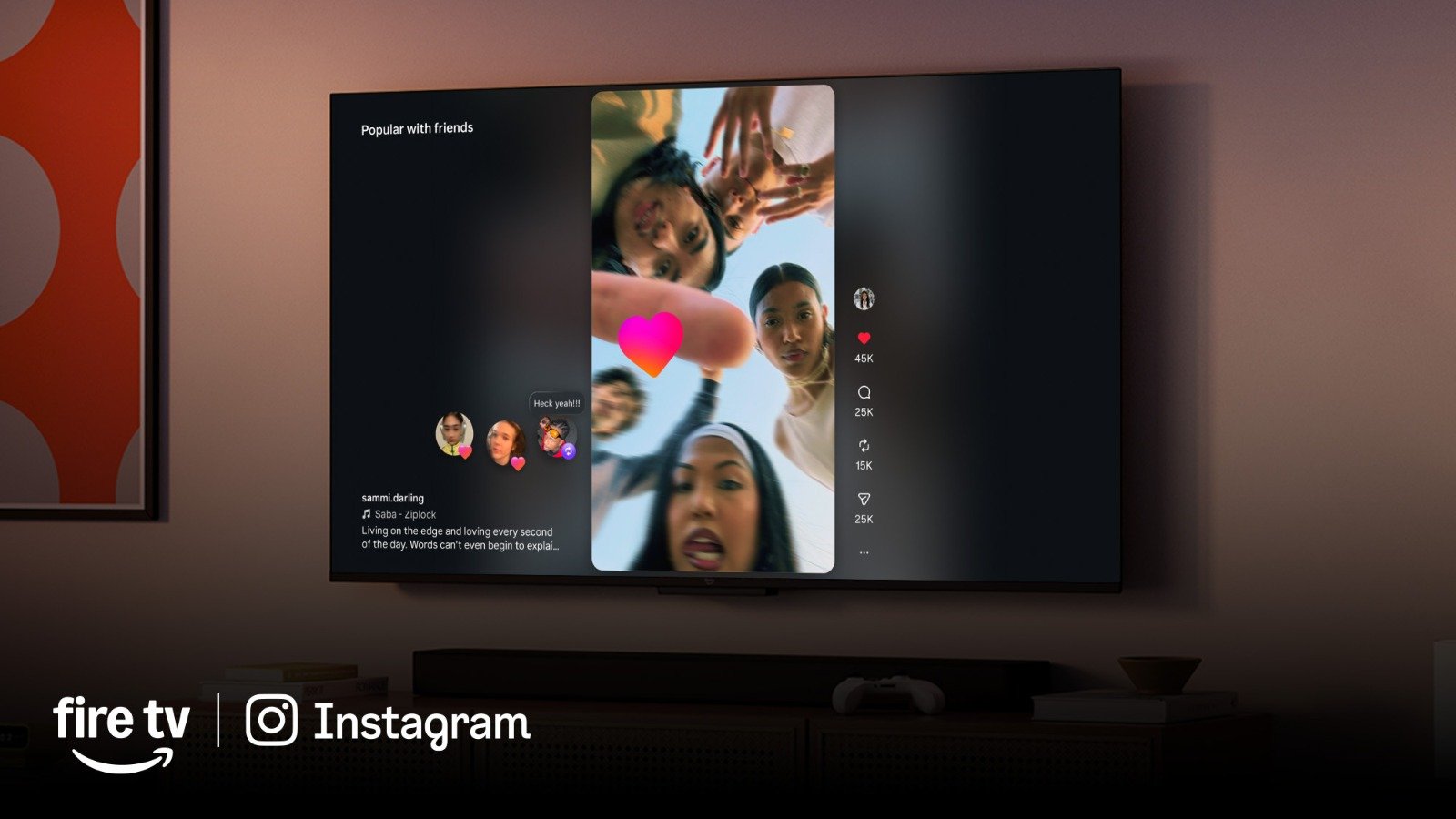
Instagram has long been the dominant force in visual social media, and while it started on our phones, its evolution onto the big screen has been nothing short of revolutionary. In 2026, Instagram for TV isn’t just a novelty; it’s an immersive, essential experience for anyone who loves high-quality visual content. Whether you’re a casual browser or a dedicated creator, stepping into the world of Instagram on your television opens up a whole new dimension of engagement.
This guide will walk you through setting up Instagram on your smart TV, explore its most exciting features, and highlight some incredible exclusives you’ll find on Amazon Fire TV.
Setting Up Instagram on Your Smart TV
The days of complicated casting are largely behind us. Modern smart TVs and streaming devices have integrated Instagram as a native application, offering a seamless experience.
1. Check for Compatibility: Most smart TVs from 2023 onwards (Samsung, LG, Sony, Vizio, etc.) and all major streaming devices (Fire TV, Apple TV, Roku, Google TV) will have the Instagram app available. If you have an older model, you might need a streaming stick.
2. Download the App:
- Navigate to your TV’s app store (e.g., “Apps,” “Smart Hub,” “Google Play Store”).
- Search for “Instagram.”
- Select the official Instagram app and click “Download” or “Install.”
3. Log In or Sign Up:
- Once installed, open the app.
- You’ll be presented with options to log in. The easiest method is often a QR code:
- Open the Instagram app on your phone.
- Go to your Profile > Settings > Account Center > Log In on TV (or similar path, as UI may vary).
- Scan the QR code displayed on your TV screen with your phone. This securely links your account without typing credentials on your TV remote.
- Alternatively, you can manually enter your username and password using your TV’s on-screen keyboard, though this is less convenient.
4. Grant Permissions (if prompted): Your TV might ask for access to your local network or other standard permissions. Accept these to ensure full functionality.
And that’s it! You’re now ready to experience Instagram on the big screen.
Core Features of Instagram for TV in 2026
Instagram for TV isn’t just a blown-up phone interface. It’s been meticulously redesigned for a lean-back, immersive viewing experience.
- Immersive Full-Screen Feeds: Say goodbye to small squares! Photos and videos fill your entire TV screen, showcasing every detail in stunning clarity. High-resolution content truly shines here.
- Enhanced Reels Experience: Reels are arguably the star of Instagram TV. With dedicated remote controls for skipping, replaying, and pausing, short-form video content becomes incredibly engaging. “Auto-play next” features keep the entertainment flowing.
- Curated Explore Tab: The Explore tab on TV is highly personalized, focusing on high-quality, long-form content and trending Reels that are best viewed on a large display. It’s perfect for discovering new creators and interests.
- Interactive Shopping Integration: See a product you like in a creator’s post? Hover over it with your remote, and product tags appear. You can view details, save for later, or even initiate a purchase directly through a QR code that pops up, linking to your phone for secure checkout.
- Shared Viewing & Co-Watching: Invite friends or family to a “co-watch” session. You can react in real-time with on-screen emojis and even voice chat through integrated TV microphones while watching the same feed or Reel simultaneously.
- Creator Showcase Channels: Many top creators now have dedicated “channels” within Instagram TV, offering exclusive longer-form content, behind-the-scenes footage, and curated playlists of their best work.
Fire TV Exclusives: Taking Instagram to the Next Level
Amazon Fire TV devices, from the Fire TV Stick to the Omni QLED Series, offer unique integrations that enhance the Instagram experience even further.
- Alexa Voice Control: This is a game-changer.
- “Alexa, open Instagram.”
- “Alexa, show me trending Reels on Instagram.”
- “Alexa, go to [Creator’s Name]’s profile.”
- “Alexa, like this post.”
- “Alexa, share this to my Story (with a prompt to confirm on your phone).” This hands-free navigation makes browsing incredibly smooth.
- Customizable Screensaver Integration: Turn your TV into a dynamic art display. Fire TV allows you to set your Instagram feed (or a specific collection/hashtag) as a rotating screensaver when your TV is idle. Imagine your favorite travel photos or curated art accounts cycling beautifully on your living room wall.
- Picture-in-Picture (PiP) for Live Streams: Watching a football game but don’t want to miss a live Q&A from your favorite influencer? Fire TV’s PiP functionality lets you shrink an Instagram Live stream into a corner of your screen while your main content plays uninterrupted.
- Enhanced Discovery with Fire TV Channels: Fire TV’s integrated “Channels” feature can often pull in top-trending Instagram Reels or Creator Channels directly into your Fire TV home screen recommendations, making discovery even more passive and integrated into your overall TV viewing.
- Gaming Overlay Integration (Future): While still in development, rumors suggest a deeper integration where Instagram notifications or even quick Reels previews could appear as a non-intrusive overlay while gaming on Fire TV, allowing you to stay connected without leaving your game.
Tips for the Best Instagram for TV Experience
- High-Speed Internet: Essential for streaming high-resolution videos and seamless browsing.
- Calibrate Your TV: Ensure your TV’s picture settings are optimized for vibrant colors and sharp details to truly appreciate the visual quality.
- Follow High-Quality Accounts: Instagram on TV is best enjoyed with professional photography, cinematic videos, and visually stunning content. Seek out creators who prioritize visual excellence.
- Explore Beyond Your Feed: Spend time in the Explore tab and Creator Channels. This is where the TV experience truly shines for discovery.
Conclusion
Instagram for TV in 2026 is a mature, feature-rich platform that transforms casual browsing into an immersive visual journey. With seamless setup, powerful features, and exclusive enhancements on Fire TV, it’s never been a better time to bring your favorite visual social network to the biggest screen in your home. Dive in, explore, and rediscover Instagram in a whole new light!